
App Store Optimization
1. What Is App Store Optimization (ASO)?
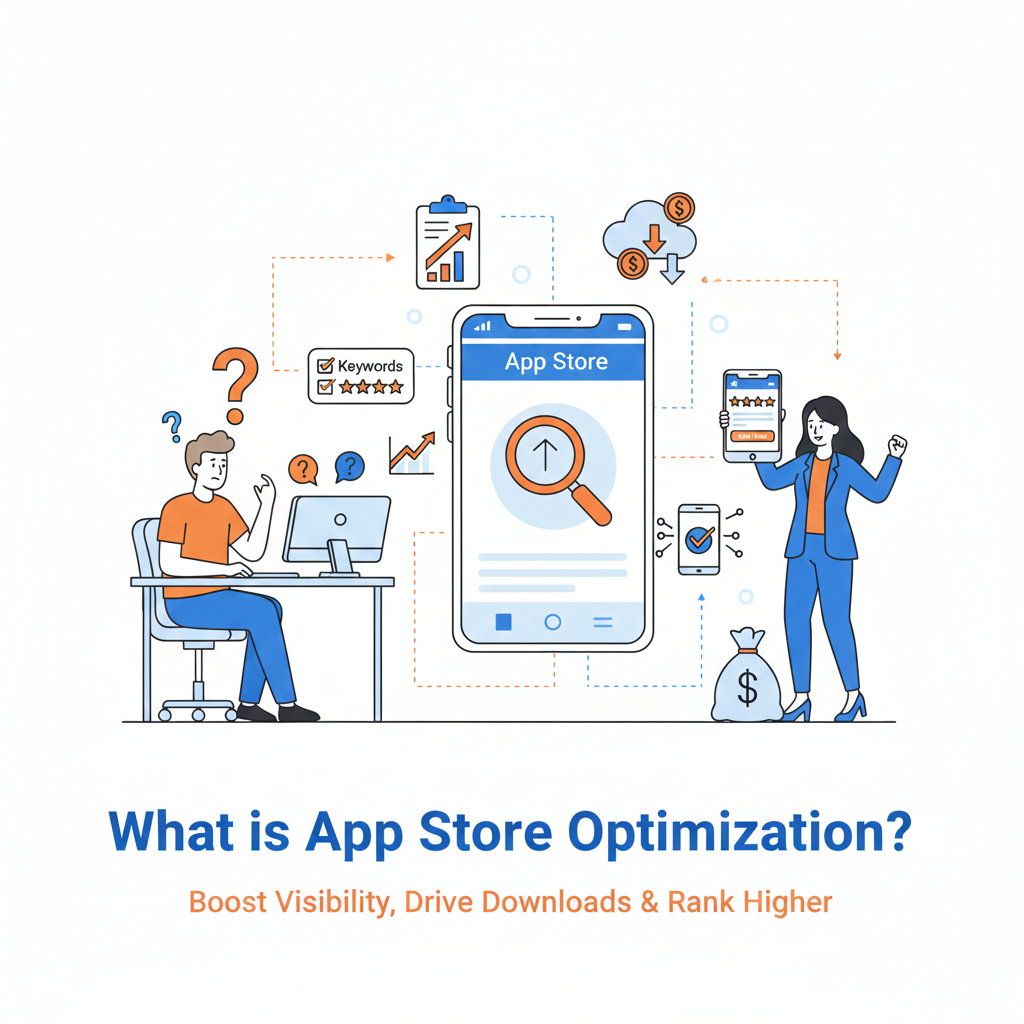
Expanded: ASO is the systematic process of improving an app’s discoverability (how users find it) and conversion (how many users install after seeing the listing) inside app stores (Apple App Store, Google Play, other stores). It combines keyword strategy, listing copy, visual design, ratings/reviews management, performance optimization, testing and continuous iteration.
Why it’s more than “SEO for apps”:
-
ASO must optimize for store-specific signals (Apple’s keyword field, Google Play short description).
-
Conversion (icon, screenshots, preview video) plays a far larger role than in website SEO.
-
User behaviour inside the app (retention, crashes, installs/uninstalls) feeds back into rankings.
Quick action: Treat ASO as two continuous workflows: (A) Search optimization (keywords & metadata) and (B) Listing conversion optimization (visuals + social proof). Run them together.
2. Why ASO Is Important (2025 context)
Expanded key reasons:
-
High competition: Millions of apps; discoverability is scarce.
-
Search-driven installs: A large share of installs starts with store search — high intent.
-
Cost efficiency: Paid acquisition is costly and privacy/ID changes (e.g., iOS) reduce ROI — organic growth via ASO lowers dependency.
-
Paid amplification synergy: Better ASO lowers CPI and increases efficiency of paid channels.
-
Trust & retention: A polished store page increases perceived quality → better install-qualified users → better retention.
Metrics this impacts: organic installs, conversion rate (views → installs), retention (D1/D7/D30), CPI for paid campaigns.
3. How App Store Algorithms Work
Expanded — what stores look at (practical):
Google Play (not exhaustive):
-
Keywords in metadata: Title, short description, long description.
-
Install count & velocity: Absolute installs and recent growth boost ranking.
-
Engagement & retention: Time-in-app, sessions, retention rates.
-
Technical quality: Crash rates, ANRs (app not responding).
-
Backlinks & signals from web: Play store pages can be found by Google search; external links help.
-
Ratings & reviews: Score and review trend matter.
Apple App Store (general):
-
Title & keyword field: Apple uses dedicated keyword field and title/subtitle heavily.
-
Download momentum: Recent installs positively influence ranking.
-
Engagement & retention: Similar effect.
-
Ratings & reviews: Plays a big role, plus review recency.
-
Conversion: Store listing elements that increase installs boost relevance.
Practical implications: Improve both metadata AND the product experience. Keyword stuffing won’t help if people install and drop off quickly.
4. Types of ASO
Expanded definitions and focus areas:
A. Keyword Optimization (Search ASO)
-
Research keywords users type.
-
Map keywords to app metadata fields (title, keyword field, short desc).
-
Prioritize high-intent, relevant keywords.
B. Conversion Rate Optimization (CRO for listings)
-
Visuals + social proof that turn store visitors into installers.
-
Test icons, screenshots, videos, preview text.
-
Use store experiments (Google Play) or third-party A/B tools.
How they interact: Good keywords bring traffic; good conversion turns that traffic into installs. Fix both if either is weak.
5. Keyword Research for ASO — step-by-step
Step 1 — Understand user intent
-
Identify typical search queries your target user uses (problem-focused, feature-focused, competitor, brand).
-
Example: For a budgeting app, queries: “expense tracker”, “budget planner”, “bill reminder”, “split bills”.
Step 2 — Tools & methods
-
Tools: AppTweak, Sensor Tower, MobileAction, App Radar, Keyword Tool, Google Play Console search suggestions, Apple Search Ads (keyword data).
-
Manual: Type partial queries in store search to get auto-suggestions; scan top competitors’ titles/subtitles.
Step 3 — Build keyword list & clusters
-
Clusters: primary (high-value), secondary (supporting), long-tail (low volume but high intent).
-
Include: Category keywords, competitor names (for brand capture; be careful with trademarks), localization variants.
Step 4 — Evaluate & prioritize
-
Score each keyword by: relevance, search volume, difficulty (competition), current rank, conversion potential.
-
Use a simple formula:
Priority = (Volume × Relevance) / Difficulty.
Step 5 — Map keywords to metadata
-
Title: 1–2 highest priority keywords (without losing brand clarity).
-
Subtitle/short desc: supporting keywords + value prop.
-
Apple keyword field: fill remaining high-value keywords (single-word tokens, no duplicates).
-
Long description (Google): include many keywords naturally and in first lines.
Avoid: stuffing irrelevant keywords or repeating same keywords across fields unnecessarily.
6. Metadata Optimization — field-by-field
A) App Title
-
Most weight. Keep it recognizable, brand-first, and include one primary keyword.
-
Examples:
MyBudget — Expense tracker & Bill Reminder. -
Keep length within store limits (Apple: 30 characters historically; check current limits in console).
Action: A/B test two title variations where possible (e.g., brand + keyword vs. keyword-first for new apps).
B) Subtitle / Short Description
-
Short benefit-oriented line (Apple subtitle or Play short description).
-
Use a secondary keyword, and make the proposition clear: “Save money weekly • Automatic categorization”.
C) Long Description
-
Use HTML-like formatting where allowed (line breaks, bullets) for readability.
-
Put most important keywords in the first 2–3 lines.
-
Use benefits → features → social proof structure.
-
Include CTA (e.g., “Download and start tracking in 60 seconds”).
D) Keyword Field (Apple)
-
100 chars. Use commas (no spaces) to maximize unique tokens.
-
Skip words already in title (Apple ignores duplicates).
-
Avoid filler words (a, the, on). Include plurals and common misspellings if space allows.
E) Promo Text (Apple)
-
170 characters shown above description, updateable without submitting a new binary. Use for limited-time campaigns, seasonal features, or update highlights.
F) What to track
-
Impressions, tap-through rate (views → details), conversion rate (details → installs), keyword rank changes.
7. Visual Optimization (Icon, Screenshots, Video)
A) App Icon
-
Should stand out in the grid and be readable at small sizes.
-
Use a single strong focal point, avoid too much text.
-
Test variations — color, shape, symbol.
B) Screenshots
-
Use top screenshot to convey core value (what user achieves).
-
Structure: (1) Problem, (2) Solution, (3) Feature proof, (4) Benefit/outcome, (5) Social proof / CTA.
-
Use concise overlays (3–5 words) describing benefit.
-
For multiple device types create device-appropriate screenshots (phones vs tablets).
C) App Preview Video
-
15–30s demo of the product in action.
-
Start with hook (0–3s): show the result.
-
Keep captions (many users view without sound).
-
End with CTA.
-
Show real UI; avoid filler or abstract animations.
D) Feature Graphic (Google)
-
Used in Play Store header and marketing contexts — design it to reinforce the key value. Not shown on Apple.
E) A/B testing visuals
-
Test a single element at a time: icon vs. icon, screenshot 1 vs 1. Use Play Store Experiments or SplitMetrics/StoreMaven.
F) Accessibility
-
Ensure text is large, color contrast is sufficient, images descriptive for assistive tech where possible.
8. Ratings & Reviews Optimization
Why it matters: Rating score strongly correlates with both ranking and conversion. Both average score and recent trend matter.
How to increase positive ratings
-
Right-time prompts: Ask for ratings after a positive action (e.g., completed first task, reached milestone).
-
Use native rating APIs: For iOS and Android use the in-app review API to reduce friction.
-
Segment prompts: Don’t show rating prompt to users who just installed or who have low engagement.
-
Nudge via email/notifications: For engaged users who haven’t rated.
How to reduce negative reviews
-
In-app feedback flow: Ask for feedback before the store prompt; if negative, route to support instead of the store.
-
Fix common issues quickly: Monitor reviews for bug clusters and patch them fast.
-
Respond publicly: Reply to negative reviews with empathy and timelines for fixes. This both helps retention and can lead users to update their review later.
Operational process
-
Daily review of reviews by product/CS team.
-
Categorize reviews: bug, UX, feature request, compliment.
-
Feed bug-related issues to engineering tickets (include crash logs, reproduction steps).
Metrics to track: average rating, % of 4–5 star reviews, review response rate, time to first response for negative reviews.
9. Technical Optimization (App quality & performance)
Key technical factors that influence ASO:
-
Crash rate & ANRs: High crash rates heavily penalize ranking. Track via Crashlytics, Firebase, Sentry.
-
App size: Smaller APK/AAB or IPA = easier installs (especially on limited bandwidth markets). Use app bundles, split installs, resource optimization.
-
Start-up time & fluid UI: Slow loading leads to immediate uninstalls and bad retention.
-
Battery & network usage: Apps that drain battery or use too much data get poor reviews.
-
Update frequency & change log: Regular, meaningful updates show active maintenance which can help ranking.
Tooling & monitoring
-
Crashlytics (Firebase), Sentry, Android Vitals, Xcode Instruments, Play Console vitals.
Action plan
-
Set SLOs: e.g., crash-free percentage > 99.5%.
-
Run pre-release testing on real devices.
-
Use staged rollouts to limit exposure of a potentially buggy release.
10. Localization Strategy
Why localize: Localized listings can yield huge uplift — translated metadata + localized visuals resonate far better than untranslated pages.
What to localize
-
Title (careful with brand consistency), subtitle, description, keyword field (Apple), screenshots (text in images), preview video (localized captions), promo text.
How to localize effectively
-
Prioritize markets by revenue potential and competition. Start with top 5 markets.
-
Use native translators or high-quality localization vendors; machine translation alone is rarely enough.
-
Localize visuals: Change screenshots to show local currency, familiar examples, or culturally-relevant images.
-
Local keyword research: Users in different markets search differently — re-run keyword research per locale.
-
Test & iterate: Use store experiments per locale when possible.
Example: “Expense tracker” in India often correlates with “bill reminder”, whereas in another market users might search “personal finance” — map these correctly.
11. A/B Testing for ASO (Design & copy experiments)
What to test
-
Icon variations, screenshot ordering, screenshot text, preview videos, first-line descriptions, title/subtitle variations.
Platforms for testing
-
Google Play has built-in experiments.
-
For Apple, use third-party tools (SplitMetrics, StoreMaven) or rely on Apple Search Ads data as a proxy.
Design an experiment
-
Hypothesis: e.g., “A green icon will improve CTR by at least 10%.”
-
Metric: primary = tap-through rate (listing impressions → details); secondary = install conversion (details → install).
-
Duration & sample size: ensure statistically meaningful sample; avoid seasonal bias.
-
Run test (one variable at a time!).
-
Analyze & roll out winner if statistically significant.
Common pitfalls
-
Testing too many changes at once (makes attribution impossible).
-
Running tests during unusual traffic spikes (holidays).
-
Ignoring downstream metrics (install to retention).
12. ASO + Paid Marketing = Maximum Growth
How they work together
-
Paid campaigns can drive install velocity and traffic to specific keywords/pages — accelerating organic ranking for those keywords.
-
ASO ensures that paid traffic converts at a high rate, lowering CPI and improving LTV.
Tactical playbook
-
Use paid ads to test creatives and messaging fast; then roll the best-performing creatives into store visuals.
-
Run country-specific paid boosts while localizing the store page for that market.
-
Use Apple Search Ads and Google UAC (or ad networks) to discover high-performing keywords; absorb successful terms into organic ASO strategy.
Metrics to monitor
-
Paid vs organic CPI, organic uplift after paid spikes, install velocity, retention and ROI per channel.
13. Advanced ASO Strategies (2025)
A) Custom Store Listings (Google Play)
-
Use custom listings for different ad campaigns or audience segments. Show different screenshots/copy to users coming from different ads or regions.
B) Apple Search Ads (ASA)
-
Use ASA’s keyword performance to find converting keywords to include in metadata. ASA also provides conversion & cost metrics by keyword.
C) Category Optimization
-
Choosing the most relevant category can increase visibility in category charts. Consider subcategory and cross-category effects.
D) AI-driven ASO
-
Use AI tools to generate hypothesis-driven metadata variants, auto-summarize reviews into themes, and forecast keyword opportunities. Keep a human reviewer to ensure quality.
E) Seasonal & Event ASO
-
Prepare store creatives & keywords for events (Black Friday, Diwali, Ramadan) and local holidays to capture seasonal search spikes.
F) Growth loops & referral optimization
-
If your app has viral features, mention them in screenshots & descriptions to improve installs from users searching for “refer and earn” or “invite friends”.
14. ASO Mistakes to Avoid
Top mistakes & how to avoid them
-
Keyword stuffing: Don’t pump irrelevant keywords — it harms quality and conversion.
-
Ignoring store analytics: Track impressions, CTR, and conversion; don’t guess.
-
Bad visuals: Unprofessional icon/screenshots are conversion killers.
-
No reaction to reviews: Ignoring feedback removes a source of product insight and kills brand trust.
-
Only focusing on installs: If retention is poor, ranking will suffer. Fix product experience.
-
Not localizing: One-size-fits-all kills conversions in big markets.
-
Testing too many variables: Isolate single variables to get actionable results.
15. Final Conclusion (Practical wrap-up)
ASO is continuous — you shouldn’t “set and forget.” Treat it like product marketing execution: discover keywords, optimize messaging, test visuals, monitor product health, iterate.
Most important next steps
-
Baseline: collect current metrics (impressions, CTR, installs, D1/D7 retention, crash rate, rating).
-
Prioritize: pick top 3 keywords + top 3 visual elements to improve.
-
Test: run a controlled experiment (Play experiments or third-party).
-
Monitor & repeat: make iterative improvements based on data.
Actionable Checklist (copyable)
90-day ASO sprint:
-
Week 1:
-
Audit current store listing (all locales). Save screenshots, note current ranks.
-
Pull metrics: impressions, installs, CTR, conv. rate, retention, crash rate, avg rating.
-
Run competitor scan: top 10 competitors’ metadata + visuals.
-
-
Week 2:
-
Conduct keyword research for primary market + 2 top locales. Create keyword priority list.
-
Draft 3 title/subtitle/short desc hypotheses.
-
-
Week 3:
-
Design 3 icon variants + screenshot sets + 1 preview video script.
-
Prepare localized creatives for 1 non-English market.
-
-
Week 4–6:
-
Run Play Store experiment(s) for visuals. Launch ASA small-budget campaigns to test keywords.
-
Fix major crashes/bugs found in vitals.
-
-
Week 7–12:
-
Roll out winners. Monitor changes in ranking, CTR, installs, D7 retention.
-
Optimize review prompts and implement in-app feedback flow.
-
-
Month 3+: repeat cycle; add new keywords and markets.
Tool & data checklist (recommended)
-
ASO tools: AppTweak, Sensor Tower, Mobile Action, App Radar, SplitMetrics.
-
Analytics: App Store Connect, Google Play Console, Firebase / Amplitude / Mixpanel.
-
Crash & performance: Firebase Crashlytics, Sentry, Android Vitals.
-
A/B Testing: Google Play Experiments, SplitMetrics, StoreMaven.
-
Creative: Figma / Sketch / Photoshop for screenshots & videos; a simple video editor for preview clips.

Author