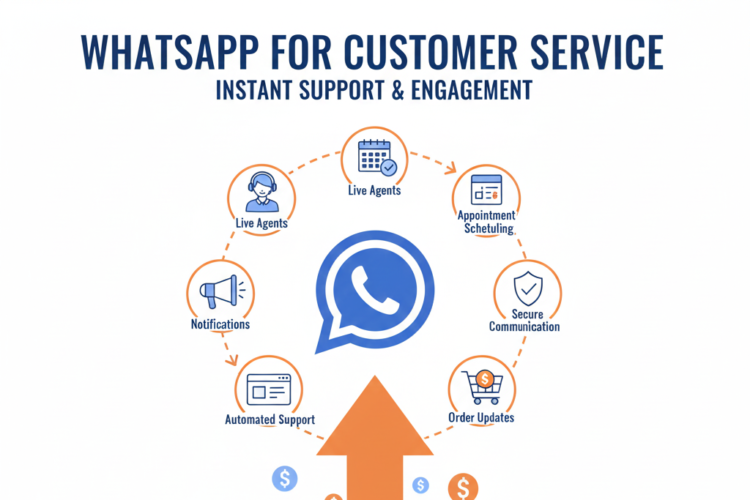


Tips to Use WhatsApp for Customer Support
Introduction
In today’s hyper-connected world, customer support is expected to be fast, accessible, and human-centric. With over 2 billion users globally, WhatsApp has emerged as one of the most powerful tools for customer communication. As businesses continue to embrace real-time engagement, WhatsApp offers a direct, familiar, and efficient channel to resolve queries, offer assistance, and build customer loyalty. This article explores in-depth strategies and tips on how to effectively use WhatsApp for customer support in 2025 and beyond.
Chapter 1: Why WhatsApp for Customer Support?
1.1 Ubiquity and Accessibility
Available across devices and platforms
High open and response rates
Global penetration, especially in emerging markets
1.2 Personal and Conversational
Direct communication like chatting with a friend
Encourages two-way, informal interactions
1.3 Rich Media Support
Share images, videos, PDFs, and voice notes
Real-time location and document exchange
1.4 Integration with Business Tools
WhatsApp Business API support
CRM and chatbot integrations
Chapter 2: Setting Up WhatsApp Business for Support
2.1 Choosing the Right WhatsApp Solution
WhatsApp Business App (for small businesses)
WhatsApp Business API (for medium to large enterprises)
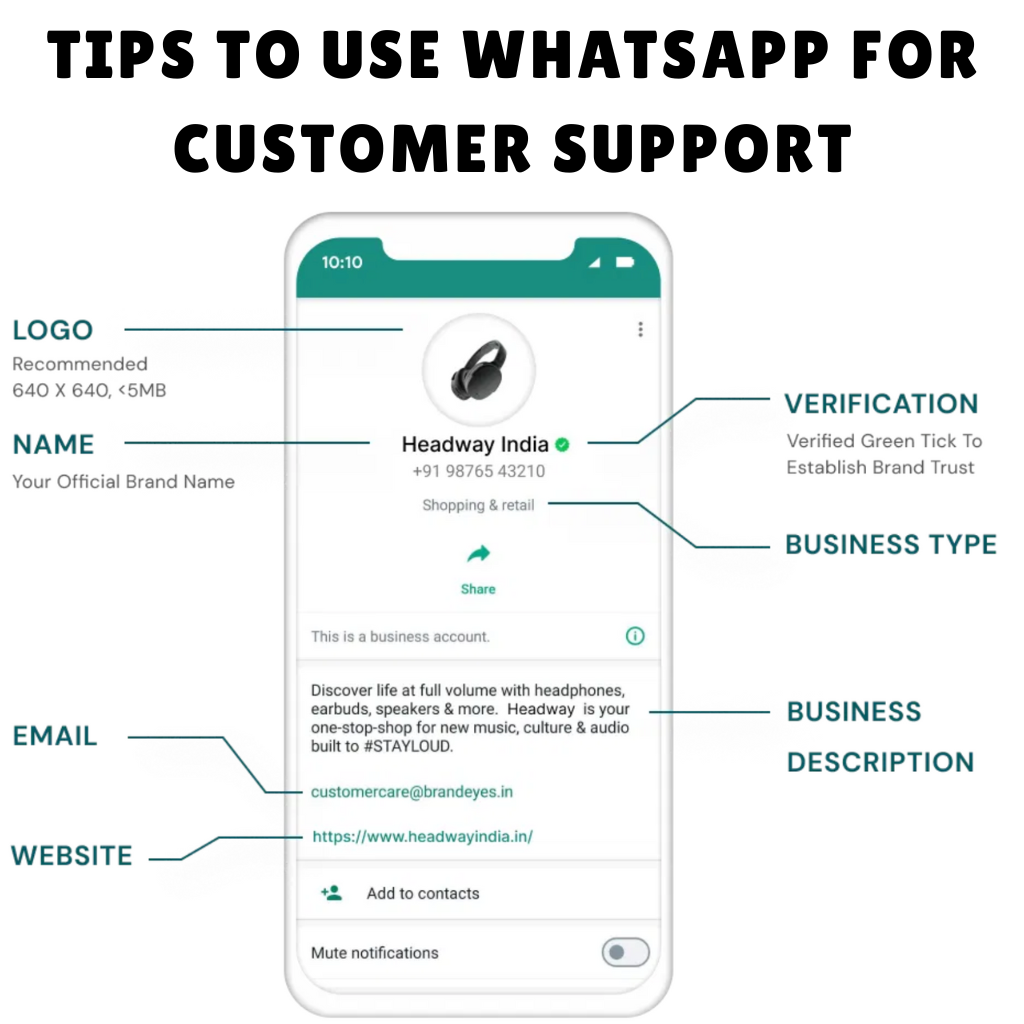
2.2 Verifying Your Business Profile
Business name, logo, description
Hours of operation and location
2.3 Creating a Support-Ready Business Profile
Use a professional display name
Enable away messages and quick replies
Add FAQ or help links in the profile
Chapter 3: Building an Effective Customer Support Workflow
3.1 Define Support Hours and SLAs
Clearly communicate working hours
Automate responses outside service hours
3.2 Categorize Inquiries
Use chatbot or form-based categorization
Route queries based on type or urgency
3.3 Support Funnel Design
Greeting message > Query detection > Human agent escalation > Resolution > Feedback
3.4 Setup Escalation Matrix
When and how to escalate to supervisors
SLA breach alerts
Chapter 4: Automating WhatsApp Support with Chatbots
4.1 Benefits of Chatbot Automation
24/7 availability
Instant responses
Reduced human workload
4.2 Designing Your WhatsApp Chatbot
Start with a flowchart of expected queries
Pre-train bots on FAQs and product info
Include fallbacks to live agents
4.3 Personalization in Bots
Use first names and past history
Provide contextual responses
4.4 Performance Monitoring
Track drop-off points
Identify repetitive queries to improve automation
Chapter 5: Best Practices for Human Agent Support
5.1 Response Etiquette
Use friendly tone and concise answers
Avoid jargon
Match customer’s pace and tone
5.2 Use of Media
Share product videos, guides, and infographics
Use screenshots for technical support
5.3 Keep Conversations Organized
Tag conversations
Use internal notes in CRM
Archive resolved chats
5.4 Multilingual Support
Leverage translation tools or hire native agents
Auto-detect language preferences
Chapter 6: Ensuring Privacy and Compliance
6.1 Consent and Opt-Ins
Users must opt-in to receive messages
Use web forms, QR codes, or SMS links
6.2 Data Protection Measures
End-to-end encryption
Minimal data sharing policy
Align with GDPR or other local regulations
6.3 User Controls
Allow easy opt-out
Provide access to chat history on request
Chapter 7: Integrating WhatsApp with CRM and Support Tools
7.1 Popular Integrations
Salesforce, HubSpot, Zendesk, Freshdesk
Unified inbox platforms like Twilio or Gupshup
7.2 Ticket Creation
Convert chats to support tickets
Track and assign within CRM
7.3 Customer Journey Mapping
Monitor touchpoints across channels
Use data for personalization
7.4 Analytics and Dashboards
Monitor response time, CSAT, resolution rate
Track peak hours and agent performance
Chapter 8: Measuring Success and Optimization
8.1 KPIs to Track
First response time
Resolution time
CSAT (Customer Satisfaction Score)
NPS (Net Promoter Score)
8.2 Gathering Feedback
End-of-chat surveys
Emojis or quick poll feedback
8.3 A/B Testing Responses
Test message tones and formats
Optimize based on response and resolution rates
8.4 Continuous Improvement
Monthly audits
Customer interviews
Agent training refreshers
Chapter 9: Advanced Use Cases and Innovations
9.1 Video Support Calls
Conduct face-to-face troubleshooting
Product demonstrations and consultations
9.2 E-commerce Support
Cart recovery messages
Order tracking and returns
Product recommendations
9.3 AI-Powered Recommendations
Product troubleshooting based on user queries
Predictive support using past interactions
9.4 Voice Notes and Voice Bots
Better engagement for users with accessibility needs
More natural and emotional support interactions
Chapter 10: Challenges and How to Overcome Them
10.1 Message Volume Management
Use queue systems
Assign agents by ticket priority
10.2 Spam and Misuse
Use verification mechanisms
Allow blocking/reporting within chat
10.3 Balancing Automation and Human Touch
Use bots only for tier-1 queries
Provide clear hand-off to humans
10.4 Keeping Up with Feature Updates
Stay informed through WhatsApp Business blog
Use developer communities for API improvements
Conclusion
WhatsApp has revolutionized customer support by blending speed, personalization, and convenience. From small businesses to global enterprises, adopting WhatsApp as a central support channel can lead to higher satisfaction rates, stronger customer loyalty, and reduced operational costs. By implementing the tips and best practices shared in this guide, businesses can transform their support experiences, preparing for a future where instant, conversational service is not just expected—it’s essential.
Next Steps:
Audit your current customer support channels
Create a WhatsApp support SOP document
Pilot a chatbot for FAQs
Measure and optimize support performance monthly
Author