
WhatsApp for Customer Service: The Ultimate 2025 Guide
How to Deliver Instant, Personalized, and Scalable Support Through the World’s Most Popular Messaging App
📌 Table of Contents
Introduction: Why WhatsApp for Customer Service
The Evolution of WhatsApp as a Business Tool
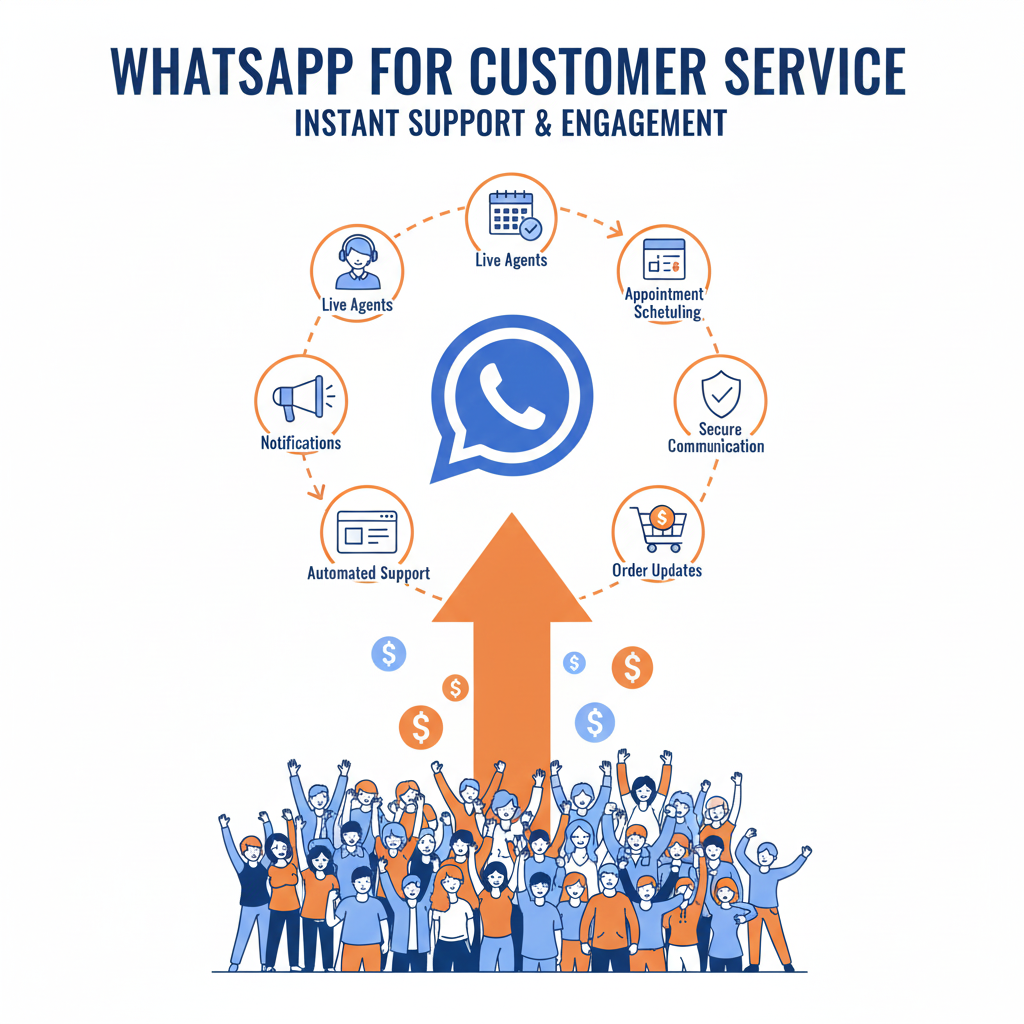
Benefits of Using WhatsApp for Customer Support
WhatsApp Business App vs. WhatsApp Business API
Setting Up WhatsApp for Customer Support
Use Cases Across Industries
WhatsApp Support Automation with Chatbots
Human + Bot Hybrid Models
Personalized Messaging with WhatsApp
Integrating WhatsApp with CRMs and Help Desks
WhatsApp Template Messages for Support
Using Rich Media in WhatsApp Support
Multilingual Customer Service with WhatsApp
Handling High Volume Support
Measuring Customer Support KPIs via WhatsApp
Data Privacy, Encryption, and Compliance
Best Practices for WhatsApp Customer Support
Challenges and Limitations
Case Studies: Brands Using WhatsApp for Customer Support
Future of Customer Service on WhatsApp
Final Thoughts + Support Strategy Framework
1. 🧠 Introduction: Why WhatsApp for Customer Service
In 2025, WhatsApp has become one of the most powerful customer communication platforms. With over 2.7 billion users globally, it’s where people feel most comfortable and connected.
Customer service isn’t just about solving problems — it’s about solving them fast, in the customer’s preferred channel, and with empathy. That’s exactly what WhatsApp enables.
2. 🔄 The Evolution of WhatsApp as a Business Tool
Originally a peer-to-peer messaging app, WhatsApp has evolved into a full-fledged business communication platform with the launch of:
WhatsApp Business App (for small businesses)
WhatsApp Business API (for medium to large enterprises)
WhatsApp Cloud API (by Meta, offering cloud-based integration)
Features like catalogs, chat labels, quick replies, and payment support
It’s no longer just for chatting — it’s a customer experience hub.
3. ✅ Benefits of Using WhatsApp for Customer Support
| Benefit | Description |
|---|---|
| 📱 Familiarity | Customers already use it daily |
| ⚡ Real-time Support | Immediate problem-solving |
| 🌍 Global Reach | Available in 180+ countries |
| 🔔 High Open Rates | 98%+ open rate for messages |
| 🤖 Automation Ready | Chatbots, templates, flows |
| 📎 Rich Media Support | Send videos, PDFs, voice notes |
| 👥 Multi-agent Support | Route to live agents or teams |
| 🔒 End-to-End Encryption | Secure, private conversations |
4. 🔀 WhatsApp Business App vs. API
| Feature | WhatsApp Business App | WhatsApp Business API |
|---|---|---|
| Best For | Small businesses | Medium-large companies |
| User Access | Single phone/device | Multiple agents/platforms |
| Automation | Basic quick replies | Advanced flows with bots |
| CRM Integration | Limited | Fully integrable |
| Multi-user Support | No | Yes |
| Broadcasting | Limited | Allowed via templates |
| Pricing | Free | Based on conversation tier |
Choose the API if you want scalability, automation, analytics, and integrations.
5. ⚙️ Setting Up WhatsApp for Customer Support
Steps:
Create a WhatsApp Business Profile
Verify your business phone number
Set auto-replies and quick replies
Integrate with customer service tools or chatbot platforms
Add WhatsApp button on website, social, or email
Promote your WhatsApp number to customers
Tools to use:
Meta WhatsApp Cloud API
Twilio, Gupshup, WATI, Zoko, Interakt (for hosting and integration)
6. 🏢 Use Cases Across Industries
| Industry | Use Case |
|---|---|
| eCommerce | Order tracking, product inquiries, returns |
| Travel & Hospitality | Booking confirmations, rescheduling, travel updates |
| Banking & Finance | Account info, fraud alerts, document collection |
| Healthcare | Appointment scheduling, report delivery, remote care |
| Education | Course info, student support, assignment updates |
| B2B SaaS | Technical support, billing, onboarding |
| Retail | Inventory check, loyalty support, feedback collection |
7. 🤖 WhatsApp Support Automation with Chatbots
Chatbots help handle:
FAQs (delivery, return policy, pricing)
Order lookup and tracking
Troubleshooting product issues
Appointment bookings
Feedback collection
Platforms to build chatbots:
Dialogflow
ChatGPT via API
ManyChat for WhatsApp
Yellow.ai
Freshchat, Zoko, or WATI integrations
Pro Tip: Combine button-based bots + natural language understanding (NLU) for best experience.
8. 🧑🤝🧑 Human + Bot Hybrid Models
Best practice = automate 70% of queries and escalate the rest to humans.
Use case flow:
Customer asks “Where’s my order?” → Bot checks order status → If delayed, escalates to live agent for apology and refund
Make sure:
Handoffs are seamless
Human agent gets conversation history
Customer always knows who’s responding
9. 🧵 Personalized Messaging with WhatsApp
Personalization increases satisfaction.
Send messages like:
“Hi Priya, your order #45321 is on its way 🚚”
“Hi John, your subscription ends in 3 days. Need help renewing?”
Use CRM + automation to dynamically insert:
Customer names
Purchase history
Preferred language or product
10. 🔗 Integrating WhatsApp with CRMs and Help Desks
Popular CRM integrations:
HubSpot
Zoho
Salesforce
Zendesk
Freshdesk
Benefits:
Unified customer profile
Ticket creation from chats
Response analytics
Triggered campaigns from chat behavior
11. ✉️ WhatsApp Template Messages for Support
Templates are pre-approved messages used to start conversations or send alerts.
Examples:
Appointment reminders
Shipping updates
Welcome messages
Payment reminders
Feedback surveys
Template sample:
“Hi {{1}}, your order {{2}} has been delivered. Need help? Reply here anytime.”
WhatsApp charges per 24-hour conversation window initiated via templates.
12. 🖼 Using Rich Media in WhatsApp Support
WhatsApp supports:
📸 Images (e.g., product photos, barcodes)
📄 PDFs (manuals, receipts, warranties)
🎥 Videos (demo tutorials, how-tos)
🎤 Voice messages (great for accessibility)
📍Location sharing
This enhances communication and reduces resolution time.
13. 🌐 Multilingual Customer Service with WhatsApp
Use translation APIs or multilingual bots to:
Detect customer language
Auto-respond in their language
Route to language-specific agents
AI tools like Google Translate API or DeepL can be embedded into your support workflow.
14. 📈 Handling High Volume Support
To scale:
Use multi-agent platforms with ticket routing
Prioritize high-value customers via tags
Set auto-responders during high load
Offer FAQs or menu-based self-help
Use queue management to:
Inform expected wait times
Offer callbacks or email as fallback
15. 📊 Measuring Customer Support KPIs via WhatsApp
Key metrics:
| Metric | Purpose |
|---|---|
| First Response Time | Speed of engagement |
| Resolution Time | Efficiency of support |
| CSAT (Customer Satisfaction) | Quality of service |
| NPS (Net Promoter Score) | Loyalty indicator |
| Conversation Volume | Support load |
| Abandonment Rate | Drop-off during wait |
Use analytics dashboards in Interakt, Freshchat, or Twilio.
16. 🔐 Data Privacy, Encryption, and Compliance
WhatsApp offers:
End-to-end encryption by default
GDPR and data retention compliance tools
Opt-in rules for starting conversations
No mass marketing without consent
Tips:
Always get user opt-in
Avoid storing sensitive info in chat
Follow regional data protection laws
17. ✅ Best Practices for WhatsApp Customer Support
📅 Be available during peak customer hours
🤖 Use automation smartly, but always offer a human fallback
🧠 Train agents in chat etiquette and product knowledge
📚 Create and maintain FAQ flows
🔁 Continuously optimize based on chat logs
📲 Promote your WhatsApp on every touchpoint
18. ⚠️ Challenges and Limitations
API requires approval + tech setup
Template message cost model may limit casual re-engagement
Requires active monitoring to avoid delays
Risk of over-automation
No native WhatsApp ad support for retargeting (yet)
19. 🏆 Case Studies: Brands Using WhatsApp for Support
🛍 Nykaa
Offers instant product support and recommendations
Shares delivery status, return options, and loyalty offers via WhatsApp
✈️ KLM Airlines
Uses WhatsApp for flight confirmations, boarding passes, and live updates
24/7 multi-language support via bot and agent hybrid
💳 HDFC Bank
Automates balance checks, statement requests, and card blocking via WhatsApp bot
Escalates account issues to human agents
20. 🔮 Future of Customer Service on WhatsApp
AI-enhanced chatbots with ChatGPT-like intelligence
Visual search in chats (“Send photo of the issue”)
Voice-based commands and replies
End-to-end eCommerce journeys within WhatsApp
AR support and screen-sharing integrations
Deeper CRM-AI integration for intent prediction and support automation
21. ✅ Final Thoughts + WhatsApp Support Strategy Framework
WhatsApp isn’t just a chat app. It’s a real-time support channel, a loyalty builder, and a business differentiator.
Brands that embrace it for customer service will win on speed, satisfaction, and scale.
📐 WhatsApp Support Strategy Framework
1. Set Objectives
→ Faster response time? Lower tickets? More CSAT?
2. Choose Platform
→ App or API? DIY or via providers?
3. Automate Basics
→ FAQs, tracking, booking, refunds.
4. Enable Live Support
→ Set agent workflows and escalations.
5. Integrate CRM
→ Track behavior, personalize, and analyze.
6. Promote It
→ Add WhatsApp across site, email, social, packaging.
7. Optimize
→ Monitor KPIs and improve workflows weekly.

Author