
jxjxjxkxkxklxlxlx
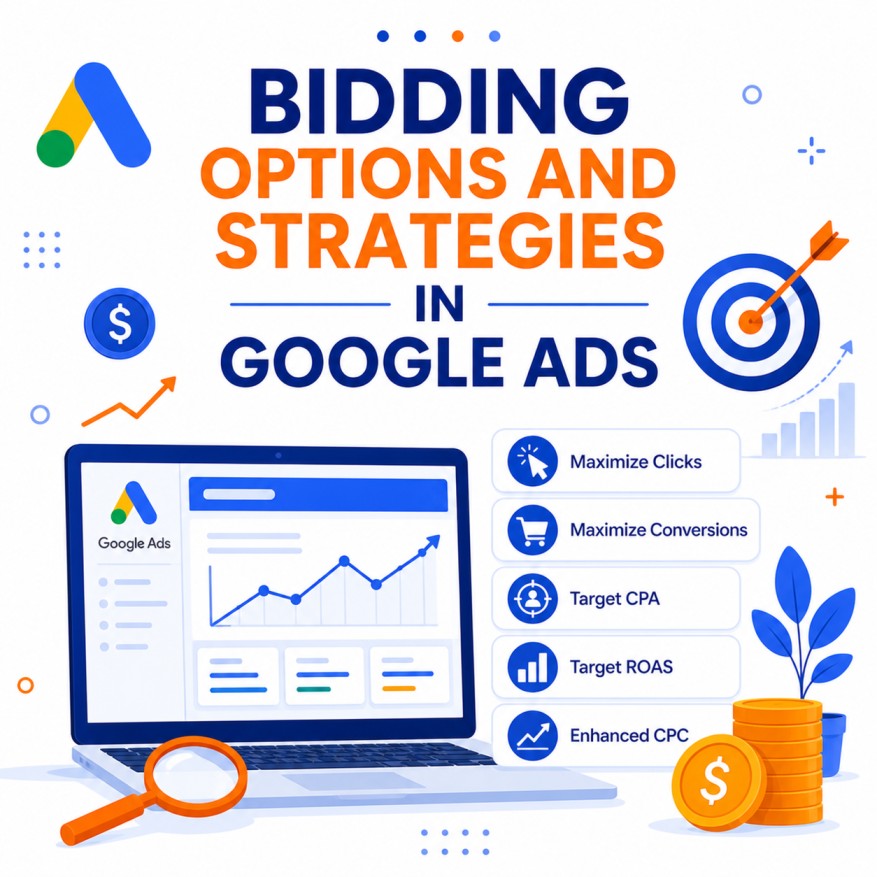
Bidding is the core mechanism that determines how much you pay and how often your ads appear in Google Ads auctions. Every time a user searches or browses, Google runs an auction. Your bid strategy tells the system how aggressively (and toward which goal) it should bid in those auctions.
Choosing the right bidding strategy is one of the highest-leverage decisions in Google Ads. The wrong strategy can waste budget on low-quality traffic, throttle volume, or prevent the algorithm from learning effectively. The right strategy aligns Google’s machine learning with your business economics and available data.
This guide provides a comprehensive overview of all major Google Ads bidding options and strategies available in 2026, how they work, when to use each one, data requirements, strengths, limitations, and practical recommendations for Search, Shopping, Performance Max, Display, and Demand Gen campaigns.
Understanding the Two Broad Categories
Google Ads bidding strategies fall into two main groups:
1. Manual Bidding
You set maximum cost-per-click (CPC) bids yourself (at keyword, ad group, or other levels). Google uses those bids in the auction, subject to Quality Score and competition.
2. Automated / Smart Bidding
Google’s AI sets bids automatically in real time for every auction, using a wide range of signals (device, location, time, audience, query intent, historical performance, and more). Smart Bidding specifically refers to strategies that optimize for conversions or conversion value.
As of 2026, Enhanced CPC (ECPC) is no longer available (deprecated in March 2025). Most accounts now operate primarily with automated strategies, while Manual CPC remains useful for control, testing, and low-data situations.
Core Bidding Strategies Explained
1. Manual CPC Bidding
How it works
You set a maximum CPC bid for keywords, ad groups, or placements. You pay only when someone clicks, and the actual CPC is usually lower than your max (determined by the auction).
Best for
- New accounts with little or no conversion data
- Situations requiring tight control over individual keyword bids
- Brand campaigns where you want predictable costs
- Testing and learning before moving to automation
- Very small budgets or highly specific control needs
Pros
Full transparency and control. Easy to understand. Useful for establishing baseline CPCs and search term insights.
Cons
Time-intensive to manage at scale. Does not automatically optimize for conversions or value. Misses real-time signals that Smart Bidding uses.
Tips
Start conservatively. Use bid adjustments carefully (device, location, audience, schedule). Monitor Search Terms and Quality Score closely. Many advanced advertisers still use Manual CPC for brand terms or tightly controlled experiments.
2. Maximize Clicks
How it works
An automated strategy that sets bids to generate as many clicks as possible within your daily budget. You can optionally set a maximum CPC bid limit.
Best for
- Driving traffic when conversion tracking is not yet reliable
- Early-stage campaigns focused on volume and data collection
- Content or awareness goals where clicks matter more than immediate conversions
Pros
Simple. Quickly generates traffic and search term data. Optional CPC cap provides some cost control.
Cons
Optimizes purely for clicks, not conversion quality or value. Can attract low-intent traffic. Not ideal once you have conversion data and care about efficiency.
When to use
Primarily as a temporary strategy while building conversion history, or for pure traffic campaigns.
3. Maximize Conversions (Smart Bidding)
How it works
Google automatically sets bids to get the highest number of conversions possible within your campaign budget. There is no specific cost-per-acquisition target (unless you later add one).
Best for
- Campaigns that have conversion tracking but limited volume or unclear ideal CPA
- Transitioning from Maximize Clicks or Manual CPC into conversion-focused bidding
- Situations where spending the full budget on conversions is the priority over strict efficiency
Pros
Leverages auction-time bidding and machine learning. Effective at finding conversion opportunities. Good intermediate step before applying a Target CPA.
Cons
Will typically spend the full daily budget. CPA can fluctuate. Less control over efficiency than Target CPA.
Data note
Works with lower conversion volume than target-based strategies, making it suitable earlier in a campaign’s life.
4. Target CPA (tCPA) — Smart Bidding
How it works
You set a target average cost per acquisition (or cost per conversion). Google bids to maximize the number of conversions while trying to keep the average CPA at or near your target.
Note on naming (2026)
Google updated labeling so what was previously often shown as “Maximize conversions with a Target CPA” is now more cleanly presented as Target CPA.
Best for
- Lead generation, SaaS trials, and any business where conversions have similar value
- Accounts with stable historical CPA data
- Situations needing predictable cost per result
Pros
Balances volume and efficiency. Strong performance once enough conversion data exists. Clear efficiency target for reporting and planning.
Cons
Requires sufficient conversion volume (commonly recommended 30–50+ conversions per month at campaign level for reliable performance; lower volumes can cause volatility). Setting the target too aggressively reduces volume; setting it too loosely wastes budget.
Practical tips
Start with a target 15–30% higher than your recent actual CPA to give the algorithm room, then tighten gradually. Ensure conversion tracking is accurate and includes only valuable actions. Monitor learning periods after major changes.
5. Maximize Conversion Value (Smart Bidding)
How it works
Google sets bids to maximize the total conversion value generated within your budget. It prioritizes higher-value conversions over lower-value ones when trade-offs exist.
Best for
- E-commerce or any business where different conversions have meaningfully different values (order values, lead quality scores, etc.)
- Transitioning into value-based bidding before applying a ROAS target
Pros
Optimizes for revenue or business value rather than treating all conversions equally. Powerful when accurate conversion values are passed.
Cons
Requires reliable conversion value tracking. Without differentiated values, it behaves similarly to Maximize Conversions. Will generally spend the full budget.
6. Target ROAS (tROAS) — Smart Bidding
How it works
You set a target return on ad spend (e.g., 400% means $4 revenue for every $1 spent). Google bids to maximize conversion value while aiming for that average ROAS.
Best for
- E-commerce with varying order values
- Businesses that can accurately track and pass revenue or profit values
- Mature accounts seeking efficiency at scale
Pros
Aligns bidding directly with profitability or revenue goals. Excels when conversion values differ significantly.
Cons
Most data-hungry strategy. Needs solid conversion volume with accurate values (often 30–50+ conversions in 30 days, sometimes higher depending on campaign type). Aggressive targets reduce volume; overly loose targets reduce efficiency.
Practical tips
Base the target on real margins and historical performance, not arbitrary round numbers. Ensure value tracking is correct (dynamic values preferred over static). Allow learning time after changes.
7. Target Impression Share
How it works
You choose a target impression share (e.g., 50%, 70%, 90%) and a placement preference (Absolute Top of page, Top of page, or Anywhere on the page). Google sets bids to achieve that visibility goal. You can set a maximum CPC bid limit.
Best for
- Brand protection and defensive campaigns
- Situations where visibility and presence matter more than immediate efficiency
- Competitive categories where owning top positions is strategic
Pros
Excellent for ensuring brand terms or key queries maintain strong presence.
Cons
Can become expensive if not capped. Not optimized for conversions or value—primarily a visibility tool. Best used selectively rather than account-wide.
Other Specialized Bidding Options
- CPM / tCPM (Target CPM) — Used primarily on Display and YouTube for awareness. You pay per thousand impressions; tCPM optimizes toward a target average CPM while maximizing reach.
- Target CPC — Available in certain campaign types (notably Demand Gen). Aims for clicks at a target cost-per-click.
- Portfolio Bid Strategies — Apply a single strategy (and targets) across multiple campaigns for shared learning and consistent goals.
How to Choose the Right Strategy: A Practical Framework
Stage 1 – No or minimal conversion data
Manual CPC or Maximize Clicks (with CPC cap). Focus on learning search terms, establishing baselines, and validating tracking.
Stage 2 – Conversion tracking live, moderate volume
Maximize Conversions (or Maximize Conversion Value if values differ). Let the system gather data and find conversion opportunities.
Stage 3 – Sufficient volume + clear efficiency goals
Target CPA (for similar-value conversions) or Target ROAS (for variable-value/revenue goals).
Special cases
- Brand terms → Target Impression Share or Manual CPC
- Pure awareness → CPM / tCPM or Maximize Clicks
- Performance Max / Shopping → Typically Maximize Conversion Value or Target ROAS once values are reliable
Always match the strategy to both your business goal and the volume/quality of conversion data available.
Important 2026 Updates and Considerations
- Enhanced CPC is fully deprecated.
- Labeling of Target CPA and Target ROAS was clarified in mid-2026.
- From August 17, 2026, Google updated how budget-limited campaigns using Target CPA or Target ROAS behave, aiming for more consistent performance against the target even when budgets constrain delivery. This can cause temporary fluctuations during the transition.
- Smart Bidding relies heavily on accurate conversion tracking (including enhanced conversions and, where possible, offline or CRM data).
- Broad match keywords pair particularly well with Smart Bidding because the system can adjust bids at the query level.
Best Practices for Bidding Success
- Ensure conversion tracking is accurate and comprehensive before relying on Smart Bidding.
- Give strategies adequate learning time (often 1–2 weeks or more after significant changes) and avoid frequent major edits.
- Set realistic targets based on historical data rather than aspirational numbers.
- Use portfolio strategies thoughtfully for related campaigns.
- Monitor both efficiency (CPA/ROAS) and volume; aggressive targets often trade volume for efficiency.
- Segment brand vs. non-brand where strategies and economics differ significantly.
- Regularly review search terms, audience signals, and conversion paths—the algorithm is powerful but not omniscient.
- Combine strong creative, landing pages, and offers with the right bidding strategy; bidding cannot fix fundamental conversion rate problems.
Conclusion
Google Ads offers a sophisticated range of bidding options, from full manual control to advanced machine-learning strategies that optimize in real time for conversions or value. In 2026 the landscape is dominated by Smart Bidding (Maximize Conversions, Target CPA, Maximize Conversion Value, and Target ROAS), supported by Maximize Clicks for traffic goals and Target Impression Share for visibility.
There is no universal “best” strategy. The optimal choice depends on your primary goal (traffic, conversion volume, cost efficiency, or revenue/return), the maturity and volume of your conversion data, and the nature of your conversions (equal value vs. variable value).
Start simple, build reliable conversion data, graduate to the appropriate Smart Bidding strategy, set realistic targets, and allow the system time to learn. Continuously validate that the strategy still aligns with business economics as markets, competition, and your own conversion rates evolve. When bidding, tracking, creative, and landing experience work together, Google Ads becomes a highly efficient and scalable growth channel.

Author