
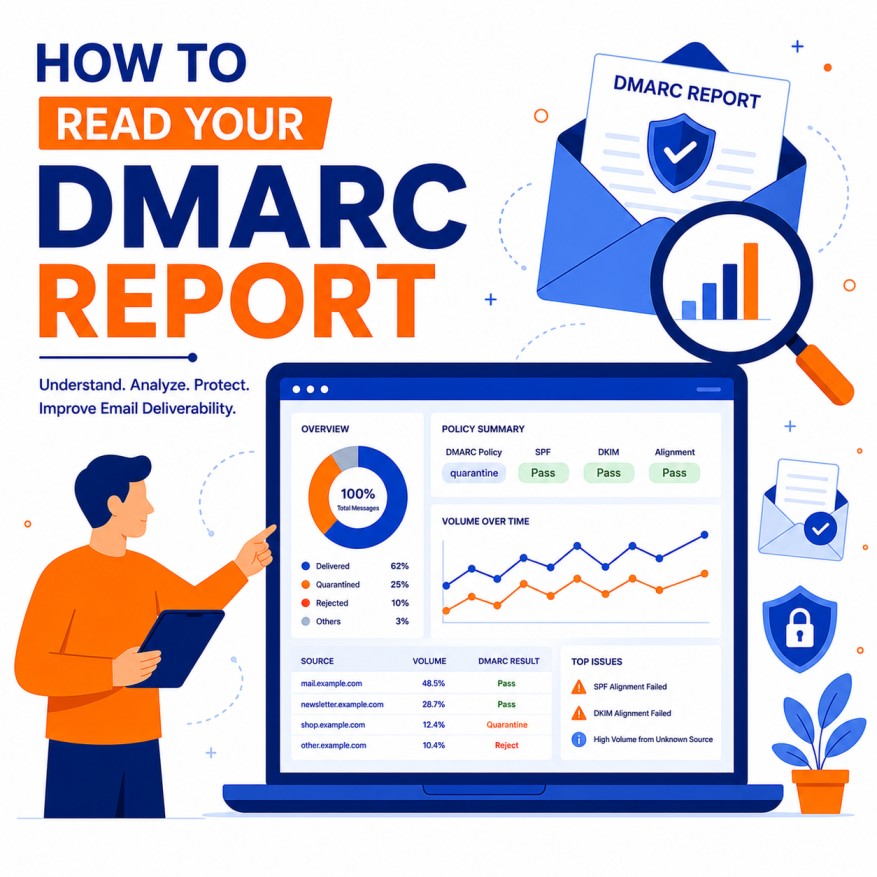
How to Read Your DMARC Reports
DMARC (Domain-based Message Authentication, Reporting, and Conformance) is one of the most important email security protocols available today. It builds upon SPF and DKIM to protect your domain from spoofing, phishing, and unauthorized use. DMARC reports provide critical visibility into who is sending emails on behalf of your domain, whether authentication is passing or failing, and how recipients are handling those messages.
Reading and understanding DMARC reports is a vital skill for maintaining high deliverability, preventing brand abuse, and ensuring your email marketing and transactional emails reach inboxes successfully. This exhaustive, highly detailed guide will teach you everything you need to know about interpreting DMARC reports — from basic concepts to advanced analysis, troubleshooting, optimization strategies, tools, and best practices.
1. What Are DMARC Reports and Why Do They Matter?
DMARC reports are XML files sent by receiving mail servers (Gmail, Microsoft, Yahoo, etc.) to the email address you specify in your DMARC DNS record. They contain aggregated or forensic data about emails that claim to come from your domain.
Two Main Types of Reports:
- Aggregate Reports (RUA): Daily or hourly summaries of authentication results across all sending sources. These are the primary reports most organizations use.
- Forensic Reports (RUF): Detailed, individual message-level reports (often called “failure reports”). These are more sensitive and less commonly enabled due to privacy concerns.
Why Reading DMARC Reports Is Essential:
- Identify unauthorized senders (spoofing attempts).
- Monitor SPF and DKIM alignment and failure rates.
- Detect configuration errors in your email infrastructure.
- Improve overall deliverability and inbox placement.
- Protect your brand reputation from phishing attacks using your domain.
- Provide evidence for compliance and security audits.
2. How to Set Up and Receive DMARC Reports
Before reading reports, ensure proper setup:
- DMARC DNS Record: Published as a TXT record (e.g., _dmarc.yourdomain.com).
- Key Tags: v=DMARC1, p= (policy: none, quarantine, reject), rua= (aggregate report URI), ruf= (forensic report URI), pct= (percentage of messages to apply policy), sp= (subdomain policy), ri= (reporting interval).
- Report Receiving: Use a dedicated email address or a third-party service (e.g., dmarcian, Agari, Valimail, Postmark) that parses reports automatically.
Recommended Starting Policy: Begin with p=none to monitor without affecting delivery, then gradually move to quarantine and finally reject.
3. Understanding the Structure of a DMARC Aggregate Report
DMARC aggregate reports are XML documents. Here’s a detailed breakdown of the key sections and fields you will encounter:
Report Metadata:
- org_name: The organization that generated the report (e.g., Google).
- email: Contact email for the reporting organization.
- report_id: Unique identifier for the report.
- date_range: Start and end dates covered by the report.
Policy Published:
- domain: Your domain being reported on.
- adkim and aspf: Alignment modes (r = relaxed, s = strict).
- p and sp: Your DMARC policy and subdomain policy.
- pct: Percentage of messages subjected to the policy.
Record Section (The Most Important Part):
- row elements contain the core data for each group of similar messages.
- source_ip: IP address of the sending server.
- count: Number of messages from that source with the same authentication results.
- policy_evaluated:
- disposition: What the receiver did (none, quarantine, reject).
- dkim and spf: Pass or fail.
- reason: Explanation if policy was not applied.
- auth_results:
- dkim results (pass/fail, domain, selector).
- spf results (pass/fail, domain, mechanism).
Key Insights to Extract:
- Which IPs are sending on your behalf (legitimate vs unauthorized).
- SPF and DKIM pass/fail rates.
- Alignment failures (even if SPF/DKIM pass individually).
- Disposition actions taken by receivers.
4. Step-by-Step Guide to Reading and Analyzing DMARC Reports
Step 1: Access Your Reports
- Check the email address specified in rua=.
- Use a DMARC monitoring service dashboard for easier viewing.
Step 2: Review High-Level Summary
- Look at overall pass/fail percentages.
- Note any sudden spikes in volume or failures.
Step 3: Analyze Source IPs
- Identify legitimate senders (your ESP, marketing tools, CRM, etc.).
- Flag unknown IPs for investigation.
Step 4: Examine Authentication Results
- High SPF failures → Check SPF record (too many lookups, incorrect includes).
- High DKIM failures → Verify DKIM keys are correctly published and selectors are accurate.
- Alignment failures → Ensure “From” domain matches SPF/DKIM domains (relaxed vs strict).
Step 5: Check Policy Disposition
- If you see “quarantine” or “reject” actions, investigate immediately.
- With p=none, focus on understanding what would happen if you enforced a stricter policy.
Step 6: Look for Patterns Over Time
- Compare reports day-over-day or week-over-week.
- Identify recurring problematic senders or configurations.
Step 7: Take Action
- Add legitimate sources to SPF.
- Fix DKIM signing issues.
- Move to stricter policies gradually.
- Contact unauthorized senders or block them.
5. Common Issues Found in DMARC Reports and How to Fix Them
- SPF Failures:
- Too many DNS lookups (limit is 10).
- Missing or incorrect include: mechanisms.
- Solution: Flatten SPF records, use dedicated subdomains for sending.
- DKIM Failures:
- Missing or rotated keys.
- Incorrect selector in DNS.
- Solution: Verify DKIM records with tools like dmarcian or MXToolbox.
- Alignment Failures:
- Different domains used in “From” header vs SPF/DKIM.
- Solution: Use consistent domains or relaxed alignment (adkim=r, aspf=r).
- Unknown Sending Sources:
- Forgotten tools, compromised accounts, or spoofing attempts.
- Solution: Investigate and authorize legitimate ones.
6. Advanced DMARC Report Analysis Techniques
- Forensic Reports (RUF): Enable cautiously for detailed message headers on failures.
- Trend Analysis: Use spreadsheets or BI tools to track pass rates over months.
- Segmentation: Break down reports by source IP, country, or ESP.
- Policy Testing: Gradually increase pct from 1% to 100% while monitoring impact.
- Integration with Other Protocols: Ensure SPF and DKIM are healthy before tightening DMARC.
7. Tools for Reading and Managing DMARC Reports
- Free Tools: Google Postmaster Tools, Microsoft SNDS, dmarcian (basic), MXToolbox.
- Paid Platforms: Valimail, Agari, Proofpoint, DMARCian, EasyDMARC.
- Visualization Tools: Import XML into Excel, Google Sheets, or Power BI for custom dashboards.
- Automation: Set up alerts for sudden failure spikes.
8. Best Practices for DMARC Implementation and Report Monitoring
- Start with p=none and monitor for at least 30 days.
- Gradually move to quarantine then reject.
- Monitor reports daily or weekly initially.
- Keep SPF records under 10 lookups.
- Rotate DKIM keys regularly and monitor for issues.
- Use a dedicated subdomain for marketing emails (marketing.yourdomain.com).
- Document all authorized senders.
- Review reports as part of your security and deliverability routine.
9. Real-World Impact and Case Studies
Organizations that actively monitor and act on DMARC reports typically see:
- Significant reduction in spoofing incidents.
- Improved deliverability and inbox placement.
- Better brand protection.
- Higher email marketing performance.
Many large enterprises have prevented major phishing attacks by enforcing strict DMARC policies after thorough report analysis.
10. Future of DMARC and Email Authentication
- Greater adoption of BIMI (Brand Indicators for Message Identification).
- Tighter integration with AI-based threat detection.
- More standardized reporting formats.
- Increased regulatory requirements for email authentication.
- Evolution toward stricter default policies across providers.
Conclusion: Make DMARC Report Analysis a Core Competency
Reading and acting on DMARC reports is not a one-time task — it is an ongoing discipline that protects your domain, improves deliverability, and strengthens your overall email program. By understanding the data, identifying issues early, and progressively tightening your policy, you can achieve excellent email security and performance.
Start today by ensuring your DMARC record is properly configured, setting up a reliable way to receive and parse reports, and reviewing your first set of aggregate reports. The insights you gain will pay dividends in better inbox placement, fewer spoofing incidents, and stronger brand trust.

Author