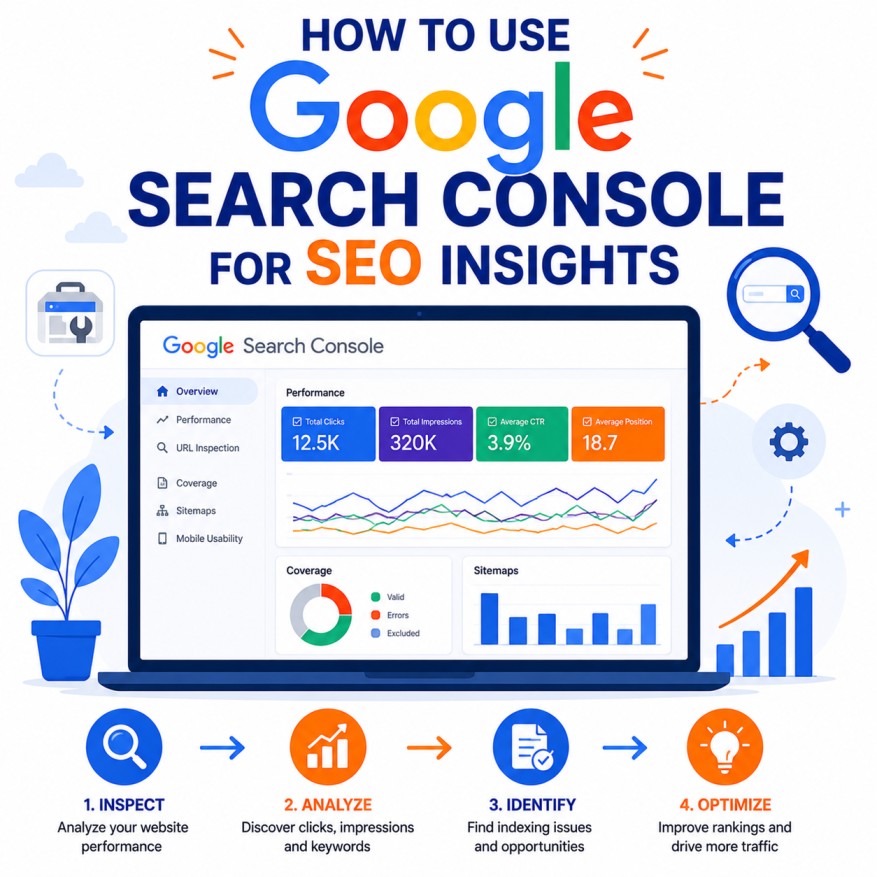
Google Search Console (GSC) is one of the most powerful, free, and essential tools in any SEO professional’s arsenal. It provides direct insights from Google about how your website performs in Search, reveals indexing issues, tracks performance data, identifies technical problems, and offers actionable recommendations to improve visibility.
This exhaustive, highly detailed guide walks you through every aspect of using GSC for deep SEO insights — from setup to advanced analysis, with extensive bullet points, practical tactics, interpretation frameworks, and strategic applications.
1. Understanding Google Search Console: What It Is and Why It Matters
Google Search Console is Google’s official webmaster tool that allows site owners and SEO professionals to monitor, maintain, and optimize their site’s presence in Google Search results.
Core Capabilities:
- Performance tracking (impressions, clicks, CTR, average position).
- Indexing status and coverage reports.
- URL inspection and request indexing.
- Technical issue identification (mobile usability, Core Web Vitals, security).
- Sitemap submission and management.
- Manual action and security notifications.
- Link and rich result reports.
Why GSC Is Indispensable:
- Provides Google’s own data (not estimated like third-party tools).
- Helps diagnose visibility drops quickly.
- Supports data-driven decision making for content, technical SEO, and user experience.
- Essential for monitoring the impact of algorithm updates.
- Critical for E-E-A-T and technical compliance signals.
2. Setting Up and Verifying Google Search Console
Step-by-Step Setup Process:
- Create a Google account if you don’t have one.
- Go to search.google.com/search-console.
- Add your property (domain or URL prefix).
- Verify ownership using one of these methods:
- DNS record (recommended for domain properties).
- HTML tag.
- Google Analytics or Tag Manager integration.
- Upload HTML file.
- Submit your sitemap for faster crawling.
Best Practices for Property Setup:
- Use Domain property for most sites (covers www and non-www, http/https).
- Set up multiple users with appropriate permissions.
- Connect GSC with Google Analytics 4 for unified insights.
- Verify all subdomains and international versions if applicable.
3. The Performance Report: Your Most Important SEO Dashboard
The Performance Report is the heart of GSC and provides rich search performance data.
Key Metrics Explained:
- Impressions: How many times your site appeared in search results.
- Clicks: How many times users clicked through to your site.
- CTR (Click-Through Rate): Clicks divided by impressions — measures title and snippet effectiveness.
- Average Position: Average ranking position across queries.
Advanced Usage Tips:
- Filter by date range, device, country, search appearance, and page.
- Compare periods (e.g., last 28 days vs previous 28 days).
- Analyze queries driving impressions but low clicks (optimize titles/meta).
- Identify pages with high impressions but low CTR.
- Track performance after major site changes or algorithm updates.
- Use the “+ New” filter for custom segments (branded vs non-branded queries).
Strategic Insights from Performance Data:
- Rising impressions with flat clicks → Opportunity to improve titles and snippets.
- High CTR pages → Double down on similar content.
- Seasonal patterns → Plan content calendar accordingly.
- Mobile vs Desktop differences → Prioritize mobile optimization.
4. URL Inspection Tool: Deep Dive into Individual Pages
The URL Inspection Tool is incredibly powerful for troubleshooting and optimization.
What You Can Do:
- Check indexing status of any URL.
- See last crawl date and crawl errors.
- Request indexing for new or updated pages.
- View rendered page (how Google sees it).
- Check mobile usability and rich result eligibility.
- Identify blocking issues (robots.txt, noindex, etc.).
Pro Workflow:
- Regularly inspect important pages after updates.
- Use it to diagnose why specific URLs are not ranking.
- Submit updated URLs in bulk after site migrations or redesigns.
5. Indexing and Coverage Reports: Ensuring Your Content Is Discoverable
These reports tell you exactly which pages Google has indexed and any problems preventing indexing.
Coverage Report Sections:
- Valid: Pages successfully indexed.
- Valid with Warnings: Indexed but with issues.
- Excluded: Pages correctly not indexed (e.g., noindex, thin content).
- Errors: Critical issues preventing indexing.
Common Issues to Fix:
- Crawl errors (server errors, redirects).
- Soft 404s and thin content.
- Duplicate pages without proper canonicals.
- Blocked by robots.txt or meta robots.
Optimization Strategy:
- Aim for maximum valid pages on important content.
- Fix errors promptly.
- Use “Excluded” insights to refine internal linking and site architecture.
6. Technical SEO Insights from GSC
Core Web Vitals Report:
- LCP, FID, CLS metrics for real users.
- Identify pages needing speed or stability improvements.
- Prioritize mobile Core Web Vitals.
Mobile Usability Report:
- Detect tap target issues, viewport problems, and font sizing.
- Fix for better mobile rankings and user experience.
Security & Manual Actions:
- Monitor for hacking, malware, or policy violations.
- Act quickly on manual actions to restore visibility.
7. Advanced GSC Strategies for SEO
- Combine GSC data with Google Analytics 4 for full-funnel insights.
- Use Performance Report filters for content gap analysis.
- Track rich result performance (FAQ, HowTo, Product, etc.).
- Monitor international performance with hreflang validation.
- Set up custom alerts for sudden traffic drops.
- Use API access for automated reporting and dashboards.
8. Common GSC Mistakes and How to Avoid Them
- Checking GSC only occasionally → Solution: Weekly reviews.
- Ignoring mobile and Core Web Vitals → Solution: Prioritize technical fixes.
- Misinterpreting average position → Solution: Understand it’s query-weighted.
- Not submitting sitemaps → Solution: Regular sitemap updates.
- Focusing only on clicks → Solution: Optimize for impressions and CTR too.
9. Integrating GSC with Broader SEO and Marketing Efforts
- Use GSC insights to inform content strategy and keyword planning.
- Align with performance marketing (Google Ads, Microsoft Ads).
- Feed data into CRO efforts (landing page optimization).
- Combine with heatmap and user behavior tools for complete picture.
- Share key insights with content and development teams.
10. Your Action Plan to Master Google Search Console
Month 1: Full setup, verification, sitemap submission, and baseline performance review. Month 2: Deep dive into Performance and Coverage reports; fix critical issues. Month 3: Implement ongoing monitoring, testing, and optimization based on insights. Ongoing: Regular reviews and continuous improvement.
Conclusion: Make Google Search Console Your Daily SEO Command Center
Google Search Console is far more than a reporting tool — it is Google’s direct line of communication with you about your website’s health and performance in Search. By mastering its reports, features, and insights, you gain a significant competitive advantage in the evolving search landscape.
Commit to regular GSC reviews, act on the data, combine it with other tools and user feedback, and continuously optimize. The most successful SEO professionals treat GSC as their strategic dashboard — not just a periodic check.
Start today: Log into GSC, explore the Performance Report for your to